


Pregnancy + | Tracker App
4.821.18K Reviews
App Specs
- Version
- 7.7
- Updated On
- License
- Free
- Downloads
- 50,000,000+
- Developer
- Philips Electronics UK Limited
- Categories
- Parenting
- Platform
- Android, iOS
Screenshots
 Analysis by AppCompare
My first real test of Pregnancy+ was the sort of moment that makes a pregnancy tracker useful: I had a spare minute, wanted to know what was relevant that week, and didn’t want to dig through a long article or search results. The app’s week-based material gives that quick check a clear destination. I find that small, focused visits suit pregnancy better than turning every question into a research session, especially when your attention is already pulled in several directions.
When a connection becomes part of the experience
Pregnancy+ is a parenting app from Philips Electronics UK Limited, and its daily information, visual content, and practical sections make it feel like more than a date counter. The app is free to download, with in-app purchases ranging from $0.99 to $39.99 per item. It has an average rating of 4.8 from around 3.4 million ratings, which suggests that many people find this kind of guided pregnancy companion useful. I’d still treat those figures as context, not a promise that every feature or article will suit your needs.
Connectivity matters most when you’re moving between those different kinds of content. A short text check is a different task from opening a visual model or preparing something to share, so I wouldn’t assume every part behaves identically under a weak signal. If I’m planning to use it somewhere with unreliable service, I’d open the material I expect to need beforehand and avoid relying on a last-minute load. That is a practical habit rather than a claim about offline access.
A useful routine is to keep the app visit focused: check the current week’s information, note a question for a clinician, then leave. That makes it easier to notice what is genuinely helpful instead of scrolling through every section just because it is there. The app’s mix of guidance and extras can be engaging, but the extra material is most useful when it answers a real question or supports a conversation you already want to have.
Using it in ordinary mobile moments
The strongest use case, in my view, is the in-between moment: a quick check during a break, a quiet look with a partner at home, or a note captured while a question is fresh. The app’s pregnancy-week framing gives these moments a natural starting point, while the visual development content can make an otherwise abstract week easier to picture. It is less suited to anyone who wants a clinical record or a substitute for direct medical advice; I’d use it to organize curiosity, not to decide whether a symptom needs care.
On a phone, the difference between a helpful check-in and an interruption often comes down to intention. I’d open it with a particular purpose rather than browse every topic in one sitting. If a screen takes time to load or a connection drops, there’s no need to keep tapping impatiently: return when service is better, and write down the question elsewhere if it is important. For urgent health concerns, contact a qualified professional rather than waiting on an app to respond.
What to expect from a large pregnancy companion
The app has passed 50 million installs and is rated for Everyone, but its broad audience does not mean every expecting parent will want the same experience. It is a good fit if you enjoy week-by-week context, approachable visuals, and practical prompts gathered in one place. It may be a poor fit if you prefer a minimal tracker, dislike lifestyle content, or want a medically supervised system for monitoring pregnancy. The current version is 7.3 and the minimum operating system is 8.0, details worth checking against your device before installing.
Worth Reading Before You Choose

Baby Panda World Brings Quick Play to Modern Phones, but Its Game Library Feels Busy

ESPN’s Live Game View Makes Following Close Games Easier

QuizzLand Review: A Good Fit for Short Trivia Breaks, Not Every Player

Basketball Stars: Multiplayer Is Fast, but Can It Recover When Matches Go Wrong?

WEBTOON Turns Phone Updates Into a Better Reading Routine

Link to Windows Runs on Shared Habits, Not Social Feeds
Compared with a basic calendar or a plain notes app, Pregnancy+ brings pregnancy-specific explanations and visuals together, which saves you from assembling that context yourself. A general web search can offer more breadth, but it can also leave you sorting through conflicting or irrelevant pages. A calendar remains better for appointments and reminders you control, while a clinician’s guidance is the right source for personal medical decisions. I see the app as a companion to those tools, not a replacement for them.
Small choices that make it more useful
One practical tip is to use the notes area as a holding place for questions, not as a health diary you feel obliged to maintain. Grouping a few points before an appointment can make the conversation more efficient, and it avoids the pressure of recording every change. The hospital bag checklist also works best as a starting prompt: review it with your own plans and preferences rather than treating any checklist as a universal packing rule.
The app is free, but optional purchases mean I’d explore the parts I actually use before spending money. If you share pregnancy updates, consider whether a particular moment is one you want to make public before creating an image for social media; a private note or a conversation with family may be a better choice. That kind of pause is useful because sharing is personal, not a step everyone needs to take.
First Impressions
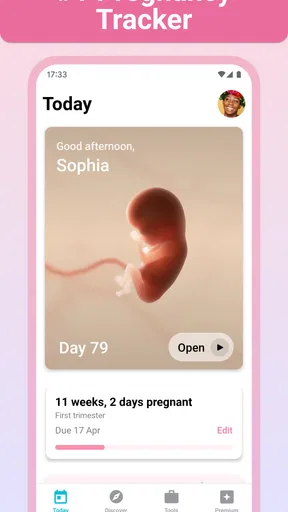
Right off the bat, the app welcomes you with a super friendly interface. The design is clean, intuitive, and doesn’t overwhelm you with too much info at once—which is a blessing when you’re already juggling a million things. It's got this soothing color palette that feels just right for the vibe you want during such an exciting phase.
Features That Stand Out
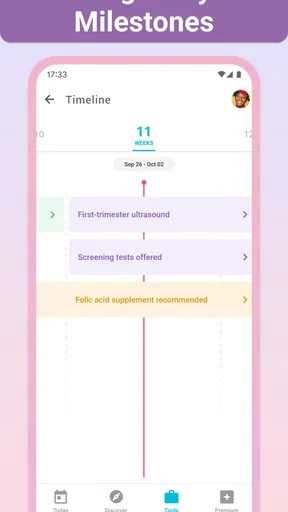
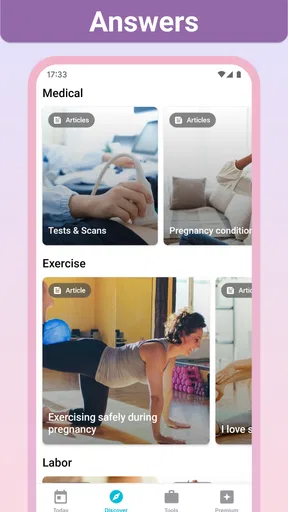
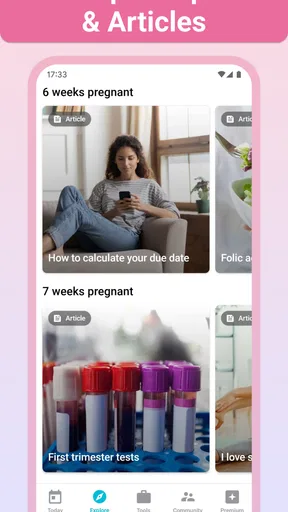
The Pregnancy + app offers a range of features that make it a must-have. One of my favorites has to be the daily pregnancy info. Each day, it serves up bite-sized pieces of information about what’s happening with your body and your baby. It’s like having a little pregnancy calendar that keeps you in the loop without feeling overwhelmed.
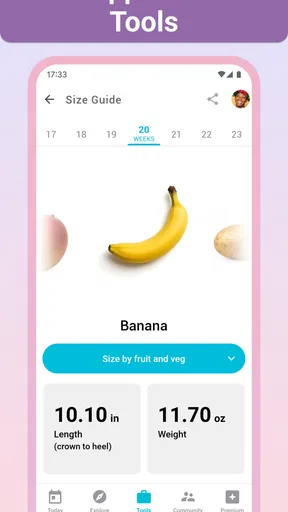
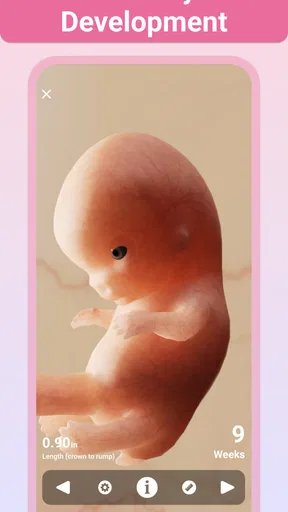
Another cool feature is the 3D models. They provide a week-by-week visual of your baby’s development, which is not just informative but also super exciting to look at. It’s amazing to see how things change so quickly!
User Experience
Using the app feels very personal. You can customize it by entering your due date, and it tailors the content to match your specific week of pregnancy. The app also includes a section for writing notes, which I found handy for jotting down questions to ask my doctor or just to record little milestones.
One thing I really appreciate is the hospital bag checklist. It’s these little details that show the app’s thoughtfulness. The checklist helps ensure that when the big day comes, you’re not scrambling around trying to remember what you need to take with you.
Beyond the Basics
The app doesn’t stop at just tracking and advice. It dives into lifestyle tips, nutritional guides, and even has a section dedicated to baby names, which can be both fun and daunting! It’s like having a supportive friend who’s there with you every step of the way.
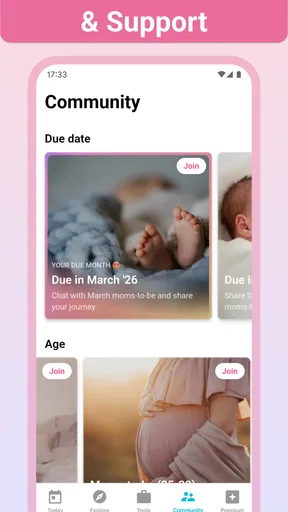
For those who love sharing their journey, the app also offers a way to create shareable images to post your pregnancy progress on social media. It’s a nice touch for keeping friends and family in the loop if you’re into that sort of thing.
Overall, the Pregnancy + app is a fantastic resource for anyone navigating the ups and downs of pregnancy. It’s packed with features that make the experience informative and enjoyable, without ever feeling like it’s too much. Definitely worth checking out if you want a handy companion for your pregnancy journey!
Who I’d recommend it to
I’d recommend it to someone who likes a gentle structure: a reason to check in, a little context for the current stage, and optional tools for preparing for what comes next. It can also be useful for a partner or family member who wants an accessible way to follow along, provided the expecting parent is comfortable sharing what they see. The app’s broad reach—over 80 million moms have used it—speaks to how familiar this format has become, but the best reason to keep it is simpler: it should make your own questions easier to organize.
I would skip it if you mainly want a blank, private log, if a steady stream of pregnancy content makes you more anxious, or if you need detailed medical monitoring. A pregnancy app can provide general information and prompts, but it cannot assess an individual situation. If reading about development stages sends you into a spiral of comparisons, it is perfectly reasonable to use only the checklist or notes, or to choose a quieter tool altogether.
A realistic routine, without turning it into homework
Imagine checking the app on a weekday morning before an appointment. You read the short update for your current week, add two questions to notes, and later use those notes to guide the conversation with your doctor. At home, you and your partner look at the visual together if that feels meaningful, then close the app rather than trying to complete every section. That sequence makes the app a useful prompt, not another daily obligation.
There is also a good reason not to compare every week too literally. The visuals and general information help explain broad development, but individual pregnancies do not follow a personal app screen like a schedule. I’d use the content to understand terminology or spark a question, then let your care team interpret anything specific to your health. This distinction keeps an engaging visual feature from being mistaken for a diagnostic tool.
Keeping control of attention and sharing
For a data-conscious approach, I’d be selective about what I enter and what I share. A due date is useful for tailoring week-based content, while notes can contain personal details, so it’s sensible to write only what you would want stored in any app. Before making a progress image public, decide whether you want that detail attached to a social post; sending an update privately or keeping it for yourself is just as valid. These are simple choices, but they help the app fit your boundaries rather than set them.
Notifications and frequent check-ins are not the measure of whether you are using a tracker well. If you find that checking daily adds pressure, make it occasional and purposeful. If you enjoy a regular ritual, keep it brief: one useful fact, one note if needed, and then move on. The app’s content can support either style, but your comfort should decide the pace.
When loading or access gets in the way
Because the experience includes more than plain text, I’d plan around the possibility that some content may be less convenient to reach on a weak connection. If something does not open, first check whether your connection is stable, then retry later instead of repeatedly refreshing. For an appointment, keep essential questions somewhere you can access independently; the app is convenient, but it should not be the only place you keep something you need at a particular time.
That is also why I would not choose it as my only pregnancy reference while travelling or during a busy day. A paper note, calendar entry, or saved contact for your care provider serves a different purpose and can be more dependable for the essentials. Pregnancy+ is at its best when it adds context and encouragement around your routine, rather than carrying every responsibility for it.
How it fits alongside other tools
Against a simple pregnancy calendar, this app offers a richer mix of week-specific material, visuals, checklists, and lifestyle topics. The trade-off is that a more feature-filled app can invite extra browsing and may feel busier than a date tracker. A web search is useful when you have a specific question and want to compare sources, but it can take more effort to judge what applies. A personal calendar is better for appointments you must not miss, and a clinician remains the right person for advice about symptoms or treatment.
Those tools do not compete in every situation. I’d use Pregnancy+ for accessible general context, a calendar for logistics, notes for questions, and professional care for personal decisions. If you want only one compact tool and already have a routine that works, there is no need to install another app simply because it offers more sections. The value here is in the particular blend of pregnancy information and practical preparation.
My connectivity verdict
Connectivity shapes convenience more than the core idea: a quick, tailored check is easy to fit into daily life, while richer material and sharing are better approached when the phone has a reliable connection. I like the app most as a flexible companion that can be opened with a purpose, used for a small task, and put away. Its free entry point makes it approachable, though optional in-app purchases are worth considering before exploring paid extras.
Pregnancy+ was released on January 28, 2013, and its current version is 7.3. For me, its lasting appeal is the way it brings daily information, 3D development visuals, notes, preparation checklists, and lighter lifestyle sections into one pregnancy-focused place. I’d suggest giving it a try if that combination sounds reassuring and useful, while keeping medical questions with your healthcare professional and choosing a different option if you prefer a minimal or strictly clinical experience.
Pros
- Comprehensive week-by-week guidance.
- Customizable for multiple pregnancies.
- Interactive 3D models of baby.
- Includes a contraction timer.
- Daily articles and helpful tips.
Cons
- Requires internet for full features.
- Some features behind a paywall.
- Ads can be intrusive at times.
- Limited customization options.
- Some users report occasional bugs.
FAQs for Pregnancy + | Tracker App
What features does the Pregnancy + Tracker App offer?
The Pregnancy + Tracker App provides a comprehensive range of features that help expectant parents track their pregnancy journey. From weekly updates on fetal development, personalized tips, and daily articles to a kick counter and contraction timer, the app ensures users stay informed and prepared at every stage of pregnancy.
Is the Pregnancy + Tracker App free to use?
The Pregnancy + Tracker App offers a free version with essential features. However, it also provides a premium version with additional tools and resources, such as more detailed articles and expert advice. Users can decide if the enhanced features are worth the subscription based on their needs.
How accurate is the information provided by the app?
The Pregnancy + Tracker App is designed in collaboration with healthcare experts to ensure the information is accurate and reliable. It offers medically reviewed content and personalized insights based on due dates, making it a trustworthy companion for expecting parents throughout their pregnancy.
Can I share my pregnancy journey with family and friends using the app?
Yes, the Pregnancy + Tracker App allows users to share their pregnancy journey with family and friends. The app includes features that enable you to share milestones, ultrasound images, and updates via social media or directly through messaging services, keeping your loved ones involved and informed.
Is the Pregnancy + Tracker App available for both Android and iOS devices?
Yes, the Pregnancy + Tracker App is available for download on both Android and iOS platforms. It ensures a seamless user experience across devices, allowing expectant parents to access valuable information and tools, regardless of their preferred operating system.


